|
displaymode = 0 .. 3
The displaymode command is used to select the layout of the Html page that Palview3 will generate when the htmltype = normal page is selected. There are really three parts to the normal page: the board, the infobox, and the moves of the game. The first option was created for webmasters who may want to get Palview to simply create the various parts of the page and then let the webmaster edit the page to move around the various parts himself. An example of this mode is: displaymode = 0 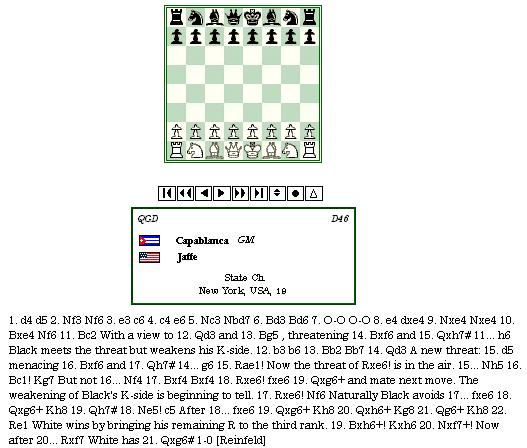 The next mode, 1, is the usual page that you would see: displaymode = 1 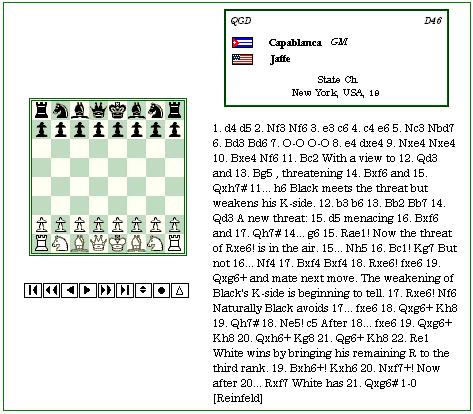 Mode, 2, is the same as mode 1 except that there is no border: displaymode = 2 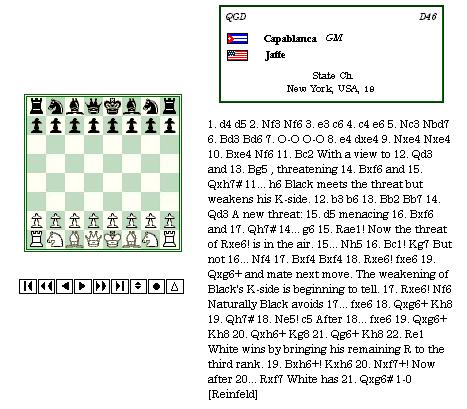 Mode, 3, wraps the moves around the board as you can see below: displaymode = 3 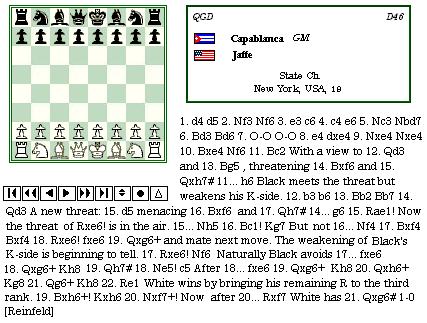 While there are four options, we strongly suggest that you use displaymode = 1 for all your htmltype = normal pages. Using mode 1, you can effectively remove the border using the .pgob class in your stylesheet to achieve the same effect as mode 2. Mode 3 sometimes renders incorrectly on some older browsers, while mode 0 has become somewhat antiquated due to the number of new page types added to Palview3. |